AI Podcast Video Generator for Two-Person Conversations

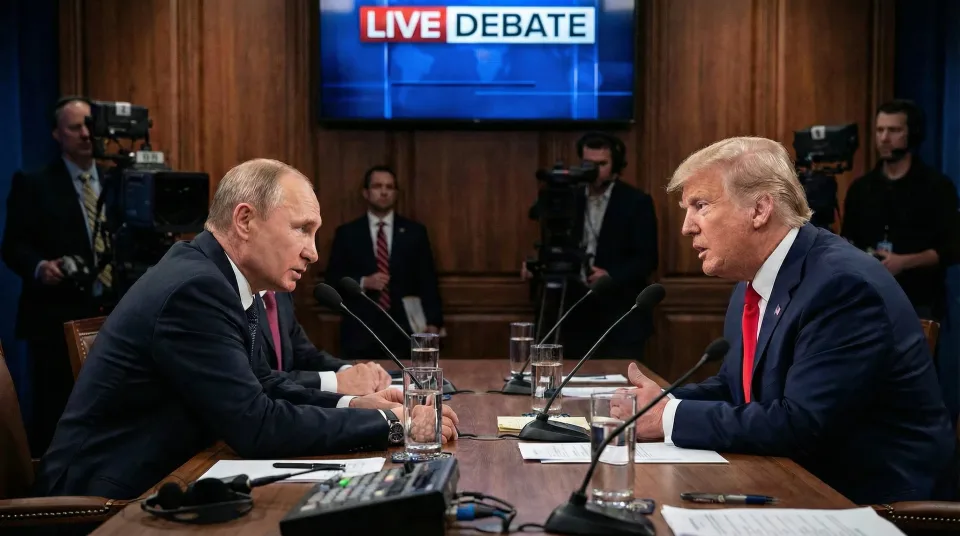
Give a podcast or dialogue a two-person visual scene. Upload an image containing both speakers, then add separate audio tracks or prepare them from a complete recording. Match each voice to the intended person and check the timing before generation. Create interview excerpts, discussion clips, and speaker-and-listener scenes without filming a new studio session.

Lipsync Image (Two Speakers): Recommended — ideal for podcasts and dialogues; supports two speakers. Supports realistic humans, animals, cartoons, or stylized characters. Maximum duration: 500s

*1. Upload, Generate, or Edit Photo

Choose whether to upload two finished role tracks, split one existing podcast, or generate podcast audio first.

Upload at least one audio. If no audio is uploaded for the left role, it will remain silent.

At least one character audio is required. Any character without uploaded audio will remain silent.

Upload at least one audio. If no audio is uploaded for the right role, it will remain silent.

The order of the two audio sources in the output video, 'meanwhile' means both audio sources will play at the same time,'left_right' means the left audio will play first then the right audio will play, 'right_left' means the right audio will play first then the left audio will play.

Public

Log in to get daily credits and start generating videos. Your tasks will continue in the background if you close the page. Please do not submit the same task repeatedly. You can find your previous generations on the My Creations page.

Turn Podcast Audio into a Two-Speaker Video

The AI podcast video generator creates a conversation scene from a two-person image and speaker audio. Separate tracks associate voices with the left and right people, while their original timing determines when each person speaks. A single supplied track can create a speaker-and-listener scene.

Match Each Voice to the Right Speaker

Prepare separate tracks for the left and right people in the image. Listen to the audio and check the assignments before generation; swap them when needed. Keep the original conversation timing so the spoken words and pauses occur at the intended moments.

Start with Tracks, a Recording, or a Script

Upload separate speaker recordings, use speaker separation for a full conversation, or prepare podcast audio in the generator. Review separated audio before making the video. Each track should contain the intended speaker without losing the original timing and silence.

Create Dialogue and Speaker-and-Listener Scenes

Supply both speaker tracks for a conversation, or use one for a scene where one person talks and the other listens. Create interview excerpts, narrated reactions, or short discussions from a shared image, then review the generated behavior and speaker assignment.

Why Choose This AI Podcast Video Workflow?

Two-Person Lip Sync for Podcast Conversations

Turn one two-person image and dialogue audio into a podcast scene. Create interviews, discussions, character exchanges, and short conversation clips without filming a new studio session.

Match Each Voice to the Right Character

Assign separate speaker tracks to the people on the left and right. Keep each voice and its original timing connected to the intended on-screen speaker.

Natural Facial Motion and Expressive Delivery

Create more engaging conversation scenes with facial expression and movement around the audio performance. Give both characters a visible presence in the discussion.

Speaking and Listening in the Same Scene

Provide two voice tracks for a dialogue, or one for a speaker-and-listener scene. Build interview excerpts and reaction-style conversations around the format you need.

Generate Dialogue or Split a Recording

Start with separate voice tracks, separate the speakers in an existing podcast, or prepare new podcast audio. The audio and video stages stay together in one workspace.

Consistent Characters from Your Shared Image

Use your chosen two-person scene as the visual foundation for the conversation. Keep the hosts recognizable while reusing the source for new topics and voice tracks.

AI Podcast and Two-Speaker Lip Sync Questions

How do I make a two-person podcast video with AI?
Upload an image containing two people, prepare their audio, and assign the tracks to the left and right speakers. Review the audio and timing, then generate the scene and inspect the result before downloading.
Do I need separate audio files for both speakers?
Separate tracks are the direct input for two-speaker generation. If you have one complete podcast recording, use the available speaker-separation workflow and inspect its output before creating the video.
Can I start with a script instead of an existing podcast?
Use the podcast-audio preparation option to create dialogue. Review the speech, voices, and timing first, then use the speaker tracks with a suitable two-person image for the visual scene.
Can one person speak while the other listens?
Yes. Provide only the intended speaker’s audio for a speaker-and-listener scene. Check the side assignment and preview the generated behavior before using the clip in your project.
Why does a speaker appear to talk at the wrong time?
Check that each track contains the intended voice and preserves the original timeline. Speaker separation can make mistakes, and trimming silence independently can shift one track out of alignment with the conversation.
Can I animate three or more speakers together?
This workflow is designed around a two-person image and left/right tracks. For a larger conversation, prepare two-person excerpts or separate scenes rather than assuming every participant can be animated in the same generation.

Lip Sync AI & Animation Pricing

Choose a plan to instantly access Lip Sync AI-powered lip sync animation. Create perfectly synchronized character lip sync and cartoon lip sync videos for your creative projects.

Standard

$49.99
$39.99/mo
-20%
💎16,000credits
= 12,000 base credits
+ 4,000 bonus credits 🎁+30%

* Annual credits are issued in full upon purchase and refreshed annually.

  • Private Lip Sync AI animation videos allowed
  • High quality auto lip sync output
  • Advanced Lip Sync AI model
  • Priority Lip Sync AI generation

Secure payments

Payment options vary by device and region.

Save 50%

Pro

$99.99
$79.99/mo
-20%
💎33,000credits
= 25,200 base credits
+ 7,800 bonus credits 🎁+30%

* Annual credits are issued in full upon purchase and refreshed annually.

  • Private Lip Sync AI animation videos allowed
  • High quality auto lip sync output
  • Advanced Lip Sync AI model
  • Priority Lip Sync AI generation

Secure payments

Payment options vary by device and region.

Basic

$29.99
$24.99/mo
-17%
💎7,000credits
= 5,400 base credits
+ 1,600 bonus credits 🎁+30%

* Annual credits are issued in full upon purchase and refreshed annually.

  • Private Lip Sync AI animation videos allowed
  • High quality auto lip sync output
  • Advanced Lip Sync AI model
  • Priority Lip Sync AI generation

Secure payments

Payment options vary by device and region.

One-Time Purchase

Pay as you go. Credits never expire.

Price
credits
$9999
300,000
$4999
140,000
$2999
80,000
$1999
40,000
$999
16,000
$499
8,000
$199
3,000

Secure payments

Payment options vary by device and region.

•
How to Use

How to Use AI Podcast Video Generator

Upload audio and speaker images, adjust settings like duration and quality, and generate professional multi-speaker lip sync podcast videos instantly.

AI-Powered Multi-Speaker Lip Sync

Our AI Podcast Video Generator uses advanced technology to align phonemes and facial motion, creating compelling multi-speaker lip sync for professional podcast visuals.

Simple Workflow

01

Upload Audio & Images

Add your podcast audio (MP3/WAV) and speaker images (PNG/JPG) to the AI Podcast Video Generator.

02

Adjust Settings

Configure duration, quality, and multi-speaker lip sync preferences.

03

Generate Video

Create professional podcast videos with synchronized multi-speaker lip sync.

04

Preview & Download

Review your AI-generated podcast video and download or share instantly.

Get Started with AI Podcast Video Generator

Upload audio and images to create professional multi-speaker lip sync podcast videos. Free tier available with limits.