Talking Animal AI: Make Animal Photos Talk or Sing

Give an animal photo a voice, a story, or a song. Create a talking animal video for a playful message, a character story, or a talking pet greeting. Upload a photo or generate an animal portrait, add your audio, and describe the expression or movement you want. Start with a short performance, review the animation, and refine the result before sharing.

A versatile AI avatar video generator for creating talking avatar and lip sync videos from an image and audio. Supports longer audio, speaker control, animals, and stylized characters.

*1. Upload, Generate, or Edit Photo

*2. Upload Audio or Generate Audio

Black areas = Person does not speak. White areas = Person speaks.

Public

Log in to get daily credits and start generating videos. Your tasks will continue in the background if you close the page. Please do not submit the same task repeatedly. You can find your previous generations on the My Creations page.

Lip Sync Animal - Animal Talk AI Examples

1–3 of 3
Cat portrait for lip sync animal and pet talk AI example
Reference Images
Cat

cat talking ai

Turn a cat photo into a talking or singing video with one image and one audio track. Upload your cat’s portrait and add a voice message, narration, or song to create a pet greeting, short story, or social clip.

Use this modelLip Sync Image (Max 10 min, speaker control)

Steps

  1. 1Upload a clear portrait image.
  2. 2Upload speech, narration, or singing audio.
  3. 3Generate the lip-synced video.
Tip

If the image contains text, or if you need stronger head movement and expression control, choose the expression and motion control image model.

Image to Lip Sync

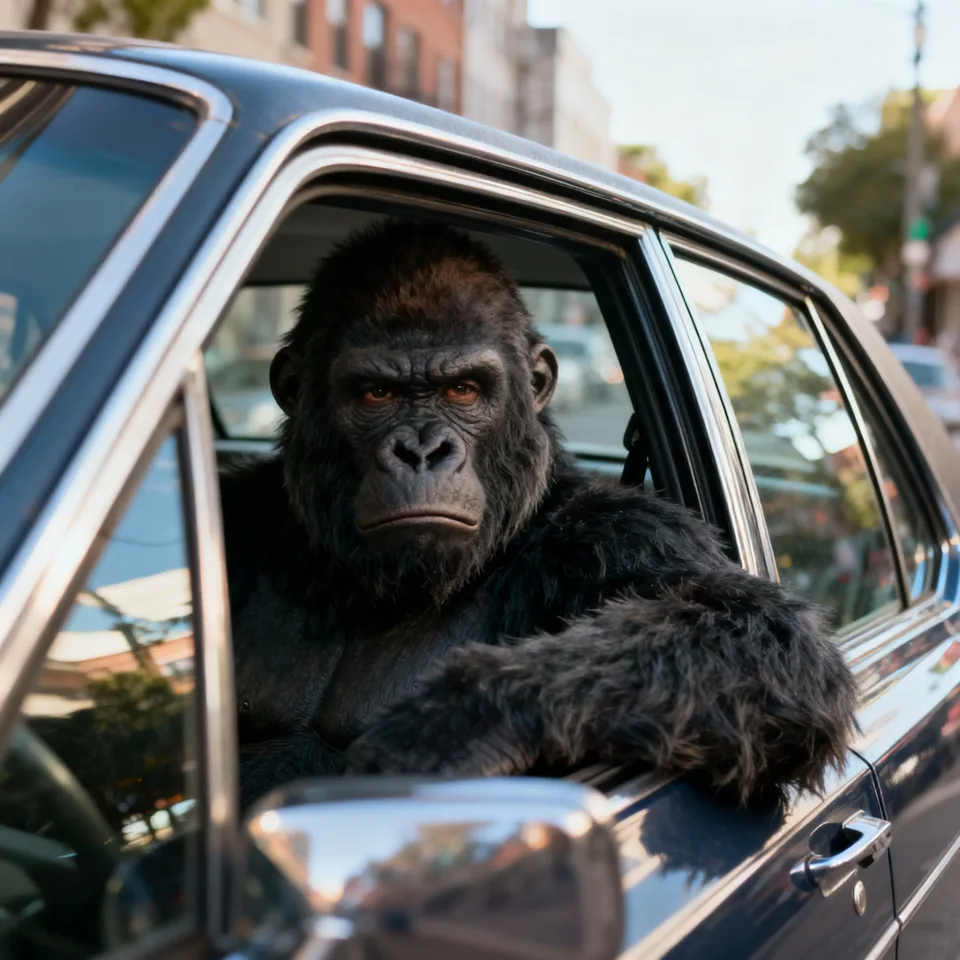
Talking Ape

Give an ape character a voice with an image and a recording. Upload a clear character portrait, add dialogue or singing audio, and generate a lip-synced performance for comedy clips, animal stories, and character introductions.

Use this modelLip Sync Image (Max 10 min, speaker control)

Steps

  1. 1Upload a clear portrait image.
  2. 2Upload speech, narration, or singing audio.
  3. 3Generate the lip-synced video.
Tip

If the image contains text, or if you need stronger head movement and expression control, choose the expression and motion control image model.

Two Speakers

Two Talking Animals

Create a dialogue or podcast with two animal characters. Choose the Two Speakers model, upload an image containing both animals, and add a separate audio track for each speaker. You can also split a complete dialogue recording into speaker tracks first.

Use this modelLip Sync Image (Two Speakers)

Steps

  1. 1Upload an image containing both animal characters.
  2. 2Upload two audio tracks, one for each speaker.
  3. 3Generate the two-speaker lip sync video.
Tip

If you use audio separation, preview the separated tracks before generating. Each track should contain only the matching speaker's voice while preserving the original timing.

Create Talking Animals from a Photo and Audio

Talking animal AI combines an animal image with speech or singing audio to create an animated video. Use a real pet photo or an invented character, supply the voice, and guide the expression and motion through the performance prompt. Talking pet greetings are one use of this broader animal-video workflow.

Make Talking Animals Tell Your Story

Choose an animal photo and give it something to say. Upload speech, record a message, or generate a voice from text. The image defines the character, while the audio defines the words and timing. Create playful introductions, comic monologues, and short animal stories.

Create Talking Pet Videos for Dogs and Cats

Turn a familiar pet portrait into a birthday greeting, a funny message, or a singing performance. Use a sharp image with a visible mouth and describe the delivery you want. Animal anatomy and camera angle affect animation, so review a short sample before a longer video.

Generate AI Animals, Then Give Them a Voice

Use the image panel as an AI animal generator when you need a source character. Create an animal portrait or illustration, review its face and framing, then add speech or singing audio. Image creation and talking animal animation remain separate stages you can inspect.

Why Choose This Talking Animal Video Generator?

High-Resolution Video up to 4K

Create sharp videos for full-screen viewing, social posts, courses, and client projects. Supported lip sync workflows offer output up to 4K, with the available resolution shown for each model.

Talking Animals of Different Kinds

Create talking dogs, cats, rabbits, birds, wild animals, and imagined animal characters. Start from a pet photo or a generated animal portrait and turn it into a voice-led story or song.

Natural Expressions and Expressive Motion

Create a performance with facial expression, head movement, and a delivery that fits the audio. Use prompt controls in supported models to direct the mood and movement of the character.

Strong Character Consistency

Keep the character recognizable through the performance, using the source face and reference details as the visual foundation. Build videos around the person, animal, or design your audience already knows.

Natural Dialogue and Singing Performances

Create spoken messages, narration, character dialogue, and song performances. Use your own voice or prepared audio to give each character the words, melody, and delivery you choose.

Video, Image, and Audio Creation on One Page

Generate the image, prepare speech or music, animate the character, and review the video in one workspace. Built-in image, audio, voice, and video tools keep your creative workflow together.

Talking Animal and Talking Pet AI Questions

How do I make a talking animal video?
Choose or generate an animal image, add spoken audio, and describe the performance in the prompt. Select the output settings and generate a short video. Review how the mouth, facial expression, and movement follow the recording before making a longer clip.
Can I make my dog or cat talk?
You can use a dog or cat photo to create a talking pet video. Choose a sharp image with a visible face and mouth, then add your audio. Results vary with pose, anatomy, and source quality, so preview a short greeting first.
Is this only for pets, or can I create other talking animals?
You can try animal photos and illustrated animal characters beyond dogs and cats. Different species and face shapes may animate differently. Use a clear image and test unfamiliar anatomy or highly stylized characters with a short clip.
Can talking animals sing as well as speak?
Yes. Add singing audio instead of dialogue to create a singing animal video. Upload a song or prepare one in the music panel. Start with clear vocals and a short passage, then review the animation before generating a longer performance.
How can I guide the animal’s expression and movement?
Use the prompt to describe a specific mood and performance, such as a friendly greeting with gentle head movement. Keep the instructions focused and inspect the result. Prompt guidance influences generated expression and motion; it does not provide exact animation keyframes.
Can I create a talking pet from text?
Use Text to Speech to make audio from your script. You still need an animal image for the video. Upload a pet photo or generate a source portrait, preview the speech, and combine the two inputs in the animal animation workflow.
Can I use this as an AI animal generator or animal creator?
The image panel can generate a source animal portrait. You can then add a voice and animate it into a talking animal video. Image creation and video generation are separate stages, letting you review the character before creating its performance.
What makes a good source image for talking animals?
Use a clear face with a visible mouth and avoid heavy obstruction or an extreme angle. A simple composition helps you judge the animation. The same guidance applies to generated animals and cartoons; test a short clip before extending the performance.
Is talking pet AI free, and how long can a video be?
Generation uses credits, and any free allowance depends on your account. Duration and cost depend on the selected model and audio. The default image-animation workflow accepts audio up to five minutes; check the current settings and required credits before submitting.

Lip Sync AI & Animation Pricing

Choose a plan to instantly access Lip Sync AI-powered lip sync animation. Create perfectly synchronized character lip sync and cartoon lip sync videos for your creative projects.

Standard

$49.99
$39.99/mo
-20%
💎16,000credits
= 12,000 base credits
+ 4,000 bonus credits 🎁+30%

* Annual credits are issued in full upon purchase and refreshed annually.

  • Private Lip Sync AI animation videos allowed
  • High quality auto lip sync output
  • Advanced Lip Sync AI model
  • Priority Lip Sync AI generation

Secure payments

Payment options vary by device and region.

Save 50%

Pro

$99.99
$79.99/mo
-20%
💎33,000credits
= 25,200 base credits
+ 7,800 bonus credits 🎁+30%

* Annual credits are issued in full upon purchase and refreshed annually.

  • Private Lip Sync AI animation videos allowed
  • High quality auto lip sync output
  • Advanced Lip Sync AI model
  • Priority Lip Sync AI generation

Secure payments

Payment options vary by device and region.

Basic

$29.99
$24.99/mo
-17%
💎7,000credits
= 5,400 base credits
+ 1,600 bonus credits 🎁+30%

* Annual credits are issued in full upon purchase and refreshed annually.

  • Private Lip Sync AI animation videos allowed
  • High quality auto lip sync output
  • Advanced Lip Sync AI model
  • Priority Lip Sync AI generation

Secure payments

Payment options vary by device and region.

One-Time Purchase

Pay as you go. Credits never expire.

Price
credits
$9999
300,000
$4999
140,000
$2999
80,000
$1999
40,000
$999
16,000
$499
8,000
$199
3,000

Secure payments

Payment options vary by device and region.

•
How to Use

How to Use Lip Sync Animal - Animal Talk AI

Upload an animal image and audio, then generate a synchronized talking video with lip sync animal and animal talk AI technology.

AI-Powered Lip Sync Animal

Our lip sync animal technology uses advanced animal talk AI to align audio with realistic mouth shapes and facial motions for any pet or animal.

Simple Workflow

01

Upload Image & Audio

Add your animal photo (JPG/PNG) and voice or music (MP3/WAV).

02

Adjust Settings

Tune aspect ratio, guidance scale, and duration if needed.

03

Generate Video

Let lip sync animal and animal talk AI process and create your talking animal video.

04

Preview & Download

Review the result and download or share instantly.

Use Cases

Pet Talk AI Posts: Make eye-catching dog or cat talking clips
Content Creation: Engage audiences with animal talk AI narrations
Education: Fun lip sync animal explainers for kids
Marketing: Animal-themed campaigns with pet talk AI
Entertainment: Animal talk AI stories, memes, and shorts
Gifts: Personalized lip sync animal messages from your pet

Get Started with Lip Sync Animal

Upload an animal photo and audio to try lip sync animal and animal talk AI. Free tier available with limits.