A Full Music Video from Your Song
Turn the track into a sequence of performance, narrative, or conceptual scenes. Plan the entire visual story rather than generating a single disconnected music clip.
Build a music video around your song, characters, and creative direction. Upload the track, describe the visual idea, and review a planned sequence of shots. Prepare reference images, refine individual scenes, and choose the generated versions you want to keep. Compose the selected shots into a final music video when the storyboard and performances are ready.
Plan a music video from a track, visual references, and a prompt, then generate storyboard shots and compose the final video.
Upload a track, describe the direction, then let AI build an editable storyboard.
Inputs
Optional: upload up to 5 references for characters, props, scenes, wardrobe, or visual style.
Genre, emotion and visual style are required. You can explicitly let AI decide.
0 / 12,000 characters
Create a focused singing video or direct a multi-shot music video built around the structure, energy, and visual identity of your track.
Turn a complete song into an editable visual treatment. AI analyzes the track, plans the timeline, creates storyboard references, generates each shot, and assembles the selected versions with the original music.
Use the song as the timeline, then control the creative direction from the overall treatment down to each shot and final output.
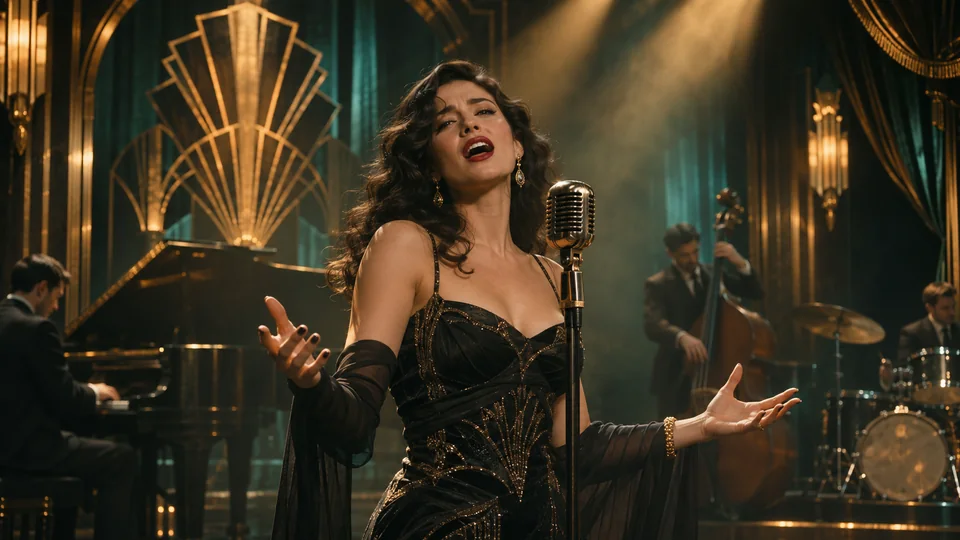
Center the artist, band, dancer, or character with hero close-ups, stage action, choreography, instruments, and lip-synced vocal moments.
Develop a visual story across the intro, verses, choruses, bridge, and outro, or intercut that story with performance scenes.
Create cinematic live action, surreal fantasy, fashion editorial, retro analog, graphic animation, or mixed-media directions.
Write one global creative brief and upload up to five references for the artist, characters, wardrobe, props, locations, or overall style.
The director analyzes song structure, lyrics, energy, mood, and beat density to map sections and shots to the track.
Adjust timing, prompts, storyboard frames, lip-sync choices, and shot versions; split or remove shots, then export in six aspect ratios at 720p, 1080p, or 4K.
The AI music video generator plans and creates a sequence of shots from music and a creative brief. Review storyboard images and reference material, generate the individual scenes, choose versions, and compose the final video. This is a multi-scene production workflow rather than animating a single singing photo.
Provide the track and describe the mood, characters, setting, and visual style. Explain the musical moments that deserve a particular scene or performance. Review the resulting shot plan as a starting point for your creative decisions rather than treating the first proposal as a finished production.
Inspect storyboard images and shot prompts before generation. Check which character, style, and scene references belong to each shot, then revisit the scenes that need attention. Compare generated versions and choose the result that best fits the sequence.
Assemble your selected scene versions into a final music video. Review the scene order, visual continuity, audio, and any lip-synced performances together. If one shot needs revision, return to that part of the project and check the composition again after updating it.
Turn the track into a sequence of performance, narrative, or conceptual scenes. Plan the entire visual story rather than generating a single disconnected music clip.
Use the song’s sections, energy, mood, and lyrics to guide the shot plan. Review storyboard images and scene prompts before generating the performances.
Guide the artist, wardrobe, locations, props, and overall visual style with your reference images. Keep the creative direction connected to the individual shots.
Refine prompts, timing, reference frames, and lip-sync choices for a scene. Compare generated versions and keep the result that best fits the music video.
Compose selected shots into the final video and choose supported export settings, including output up to 4K. Prepare versions for the aspect ratio your audience watches.
Prepare the track and visual references, generate scenes, select versions, and assemble the result in one workspace. Keep the full production connected from concept to export.
Standard
* Annual credits are issued in full upon purchase and refreshed annually.
Secure payments
Payment options vary by device and region.
Pro
* Annual credits are issued in full upon purchase and refreshed annually.
Secure payments
Payment options vary by device and region.
Basic
* Annual credits are issued in full upon purchase and refreshed annually.
Secure payments
Payment options vary by device and region.
Pay as you go. Credits never expire.
Secure payments
Payment options vary by device and region.